
Application Example
Automatic tension control in a multi-roller web section
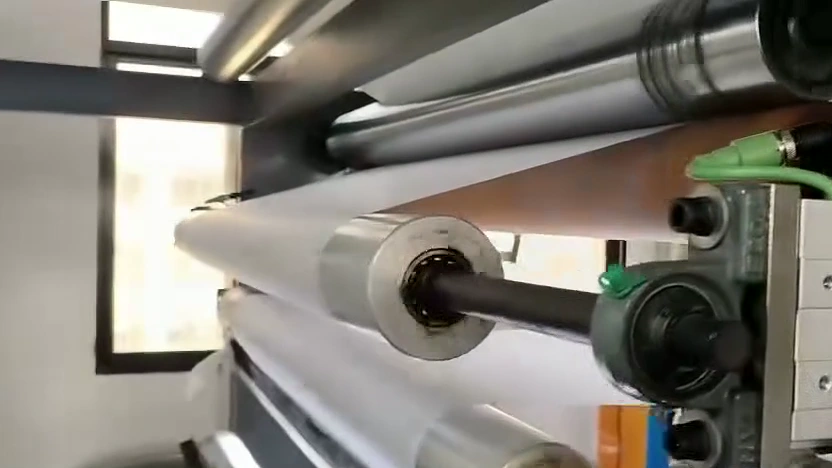
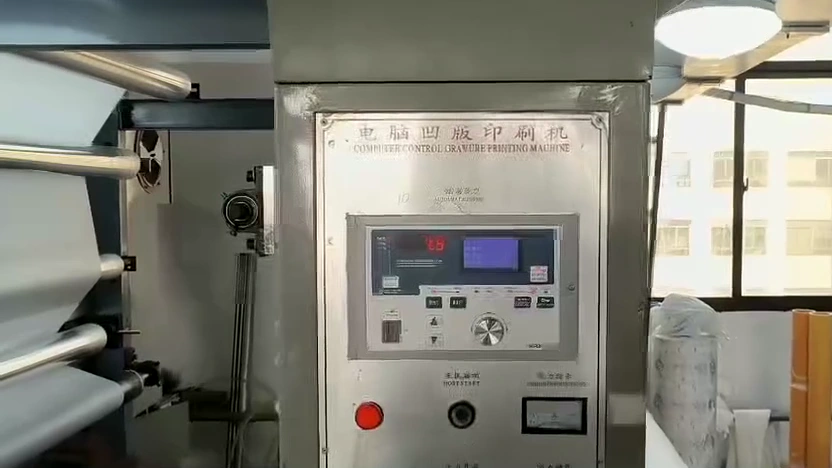
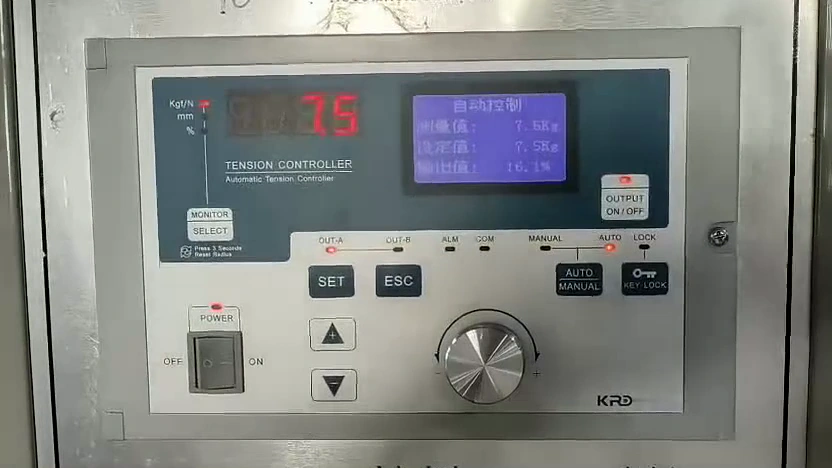
White web runs through the roller section beside a cabinet-mounted KRD automatic tension controller. See the roller path, cabinet position and control interface.
White-web roller path → adjacent machine cabinet → KRD automatic tension-control interface. Three views from the same installation, at the original speed.
Open video file ↗In this installation
- Application
- White web along a multi-roller path
- Installed KRD products
- KRD automatic tension controllerLocal interface for tension-control settings and operation
- Installation arrangement
- Tension-control interface in the cabinet beside the web
A closer look at the equipment
Material path, installed components and mounting details.
Enlarge image
Enlarge image
Enlarge image
The web-handling section
White web follows a series of parallel rollers in this customer machine. The short video first shows the material path and roller arrangement, then follows the view to the nearby machine cabinet. These views show how the web-handling section and its local operating interface are positioned in the same installation.
Where the KRD controller is installed
The KRD automatic tension controller is mounted in the cabinet face. Its display, adjustment dial and operating buttons provide the local tension-control interface. The closer view makes the controller's location and operating layout visible. This installation is a reference for discussing the web route, cabinet position and access to the controls.